Put a great product in focus.
Give a single product the attention it deserves with a clean, configurable presentation, concise features, and a clear next step.
An easier way to present a standout item.
Showcase complements your comparisons with a dedicated display for one product.
Key details
Lead with the product name, editorial highlights, and features that matter to shoppers.
Read the Showcase tutorial →Flexible layouts
Choose a split or centered presentation to complement the surrounding page.
Explore live layouts →Amazon integration
Where properly configured, approved Amazon Creators API access can help retrieve eligible product information.
Review Amazon guidance →A real product feature, rendered by the plugin.
This sample presents the Duxtop 9600LS induction cooktop using an existing saved AzlinkPRO Showcase entry.
Duxtop 9600LS Portable Induction Cooktop
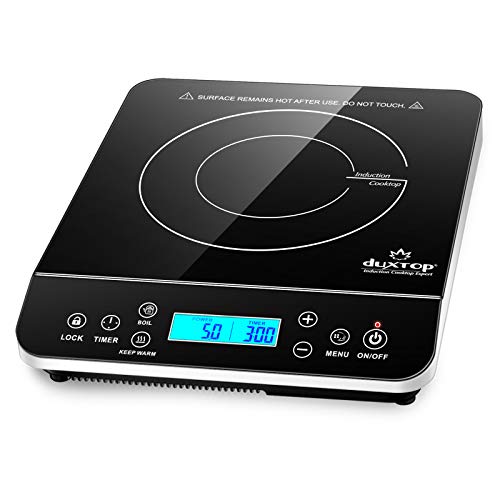
- Portable 1,800-watt cooktop with 20 power settings, 20 temperature settings and an LCD touch control panel
As an Amazon Associate, we may earn a small commission from qualifying purchases.
Create a Showcase in a few steps.
Build and customize the content in WordPress; then place the shortcode in a page or article.
Start a Showcase
Open AzlinkPRO Showcase from the WordPress dashboard and add a new item.
Choose product info
Provide the product ASIN as appropriate and review the actual feature text and images you can use.
Publish and reuse
Save the item, copy its shortcode, and place it in a Shortcode block on your page.
Shortcode example
[azlinkpro_showcase id="123"]Amazon API access and image permissions depend on your account and the relevant terms.