Product comparisons that read beautifully.
Learn how to build a clear, responsive comparison table in WordPress with AzlinkPRO Tables, from selecting products to placing the finished table in a buying guide.
Compare what matters to your readers.
A useful comparison starts with accurate, relevant data and finishes with an easy-to-scan format.
Open the Tables editor
In WordPress admin, select AzlinkPRO Tables and create a new comparison. Use a title you’ll recognize later, such as “Portable Induction Cooktops Compared.”
Add and review products
Enter your products, images and affiliate destinations. Add concise, factual differentiators; use ASINs where relevant and only licensed sources for product images.
Choose a featured product
Use the featured label when you have a supported editorial reason. Avoid implying you personally tested equipment unless you actually have.
Publish and embed
Save the table and copy its shortcode. Add a Gutenberg Shortcode block to your post, paste the code, and preview the result.
Inspect every screen size
Check whether product names, buttons and comparison details are clear on both desktop and mobile. Verify affiliate destinations before publishing.
Shortcode example
Use a saved entry ID from your own plugin editor. These examples are displayed as text, not executed.
[azlinkpro_table id="123"]Replace 123 with your saved table’s numerical ID. The sample shortcode here is displayed as code, not executed.
See a real comparison table below.
This working example shows five portable induction cooktops using a saved AzlinkPRO Tables entry.
Top 5 Portable Induction Cooktops
Compare the key features, then see current product details and pricing on Amazon.
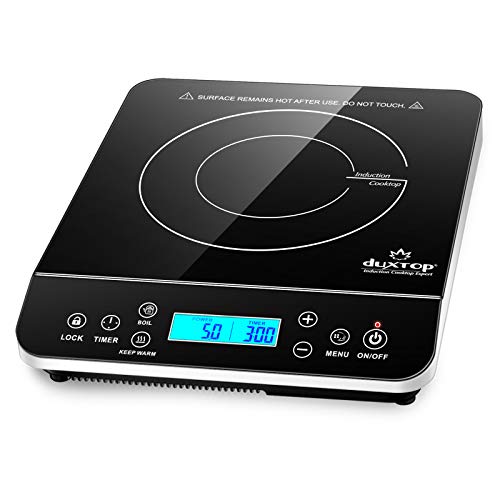
- 1,800 watts
- 20 power and 20 temperature settings
- Touch controls and LCD
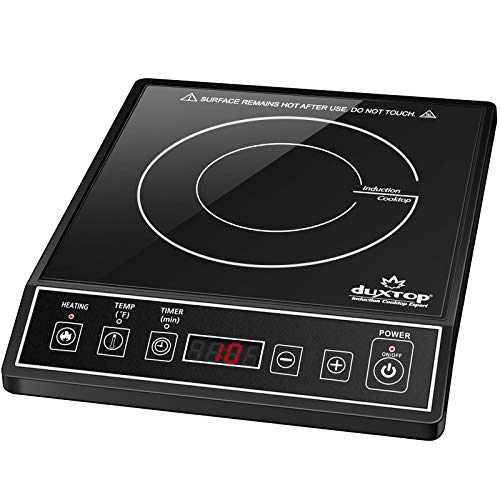
- 1,800 watts
- 15 power and 15 temperature settings
- Angled control panel
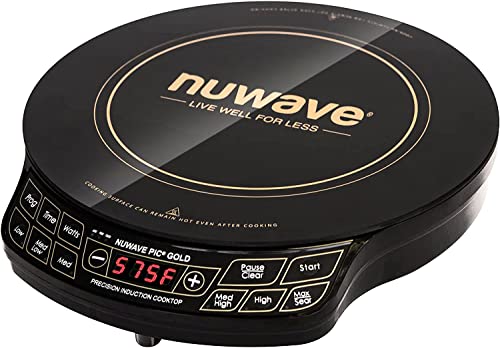
- Up to 1,500 watts
- 51 temperature selections

- 1,800 watts
- 18 power settings and 17 temperature settings

- 1,800 watts
- 8 power settings and 8 temperature presets
As an Amazon Associate, we may earn a small commission from qualifying purchases.
What should a strong comparison include?
Well-presented information is only as good as the research behind it. Give readers reliable details and helpful context.
- An opening that explains which buyers the products suit
- A handful of meaningful differences rather than repetitive promotional claims
- Accurate images and specifications you are permitted to publish
- A transparent editorial pick, if you make one
- A disclosure and a route to check current price and availability
A few more things to know.
Can I reuse a table on multiple pages?
Yes. Paste the same table shortcode into multiple articles and update the saved table from its WordPress editor.
What if my table does not display?
Confirm AzlinkPRO Tables is active, the entry is published and the shortcode ID is correct. Clear page cache if necessary.
Can I add information manually?
Use the editable fields provided by the module and validate product data before publication.
Affiliate disclosure example: As an Amazon Associate, we may earn a small commission from qualifying purchases.